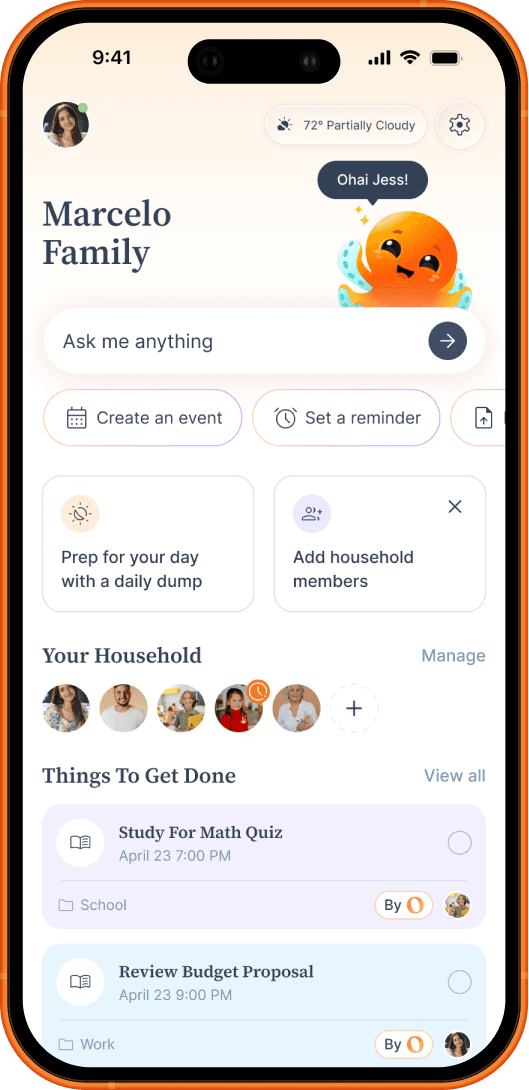
AI Email Management for Busy Families
Family email is relentless, and the important stuff hides in long threads you don't have time to read or never see at all. Connect your inbox and Smart Ohai Sync reads it for you, turning school updates, sports schedules, and bills into calendar events, reminders, and to-dos automatically. No more inbox overload, no more missed permission slips, and no one person stuck sorting it all.
As seen on










How Ohai's AI email management works for your whole household
Ohai.ai goes beyond basic alerts by creating reminders automatically from your everyday inputs, emails, documents, and chat.
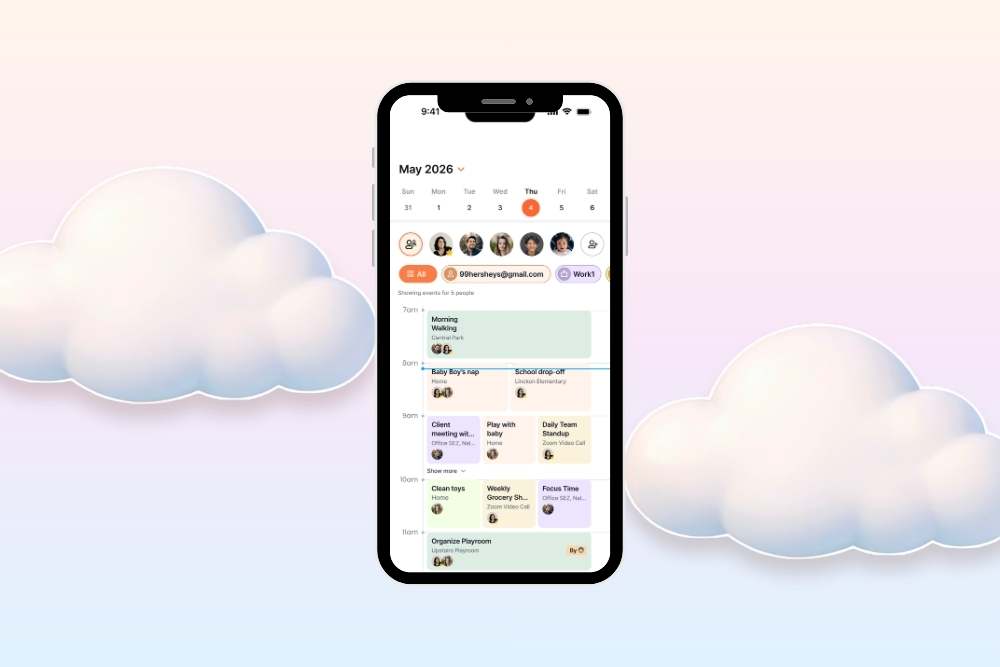
Why families switch to Ohai for email management
The average family juggles three different systems just to track who needs to be where, and one in four juggles four or more. The details you need get buried in long emails and scattered across too many places. Ohai scans your incoming emails, pulls the key dates out of threads you don't have time to read, and adds them to your shared calendar automatically, so there's no manual entry, no permission slips missed, and no hunting for the same information across a dozen inboxes and portals.
How it works
In under 5 minutes, your inbox starts feeding your family calendar instead of piling up. Here's how setup works.
1
Connect your Gmail in a couple taps
Turn on Smart Ohai Sync and connect your Gmail. Outlook and Apple support are on the way.
2
Tell Ohai about your household
Add your household members, their activities, and what to ignore, so Ohai knows which email belongs to whom.
3
Ohai scans incoming email and sorts it
O reads what comes in, pulls out the dates and to-dos, and tags each one to the right family member.
4
Your shared calendar stays up to date
Events, reminders, and schedule changes land on your family calendar automatically, and a copy of every email stays in your inbox.
What Families Are Saying
Real users on what changed when their inbox started running through Ohai.

Take the inbox off your shoulders
Stop reading every school email and typing dates into the calendar yourself. Connect your inbox and let O turn the overload into shared calendar events and to-dos.
Frequently Asked Questions
What is an AI family calendar?
An AI family calendar is a shared calendar that uses artificial intelligence to handle scheduling for the whole household: answering questions about availability, finding free time, adding events by voice or text, and detecting conflicts across every connected calendar. Ohai is an AI family calendar that works with Google, Apple, and Outlook so families stay in sync over SMS, voice, or app.
Can Ohai sync multiple calendars?
Yes. Ohai.ai connects to Google Calendar, Outlook, Apple Calendar, and others, combining them into one shared household view. The AI then looks across all calendars to find free time, schedule events, and prevent conflicts.
How does Ohai help families manage their schedules?
Ohai.ai is built for busy households. It brings every family member's calendar into one shared place, schedules events by voice or text, finds shared time across everyone, and flags conflicts before they happen. Whether it's school activities, work commitments, medical appointments, or family outings, everything stays organized and up to date.
Can my partner, kids, and caregivers see the family calendar?
Yes. Invite anyone you live or coordinate with into your Ohai Circle. Premium Circle Members can connect their own calendars and see the household calendar in their Daily Ping. Circle Connections like grandparents or sitters can see and be assigned events without needing a paid account. Personal events stay private; household events stay shared.
Will Ohai prevent double-bookings?
Yes. Ohai.ai compares all your connected calendars in real time and flags overlapping events. When a conflict is detected, the AI suggests alternative times you can confirm with one tap.
Can I ask Ohai when I'm free or when the family has shared time?
Yes. Text or voice: "when am I free Thursday?", "when does the household have time together this week?", or "find me a 30-minute window today." Ohai.ai checks every connected calendar in your household and returns the actual open slots.
Can I add events to my calendar by voice?
Yes. Use voice-to-text on your phone or talk to O directly. Say "add a 30-minute walk when I'm free today" or "lunch with Maya Friday at 1pm," and Ohai picks the right calendar, parses the details, and confirms back. Works on the go, no app needed.
Can Ohai scan documents or images for dates?
Yes. Forward an email, upload a PDF, or snap a photo of a flyer or sports schedule, and Ohai will pull out every date, time, and location and add them to your family calendar. See AI Image and File Scanner for the full feature.
Does Ohai support recurring events?
Yes. Ohai.ai manages recurring events from weekly classes to monthly family dinners, automatically updating when school holidays or schedule changes shift things around. Bulk upload also works for sports seasons, class semesters, or travel itineraries.
How is Ohai different from Google Calendar?
Google Calendar is one calendar app. Ohai is an AI household manager that connects every calendar in your life (Google, Apple, Outlook, and everyone in your Circle) and adds an AI layer on top. Ask Ohai "when am I free?", forward a school flyer to create events, or assign tasks to your partner, all from one text thread. Ohai also handles Lists, reminders, and meal planning, so household coordination doesn't live in three different apps.
Hand the inbox to Ohai
From school newsletters to flight confirmations, let Ohai read your email and put every date, deadline, and task where it belongs. Connect your Gmail and see what it pulls out. Try it for free.